

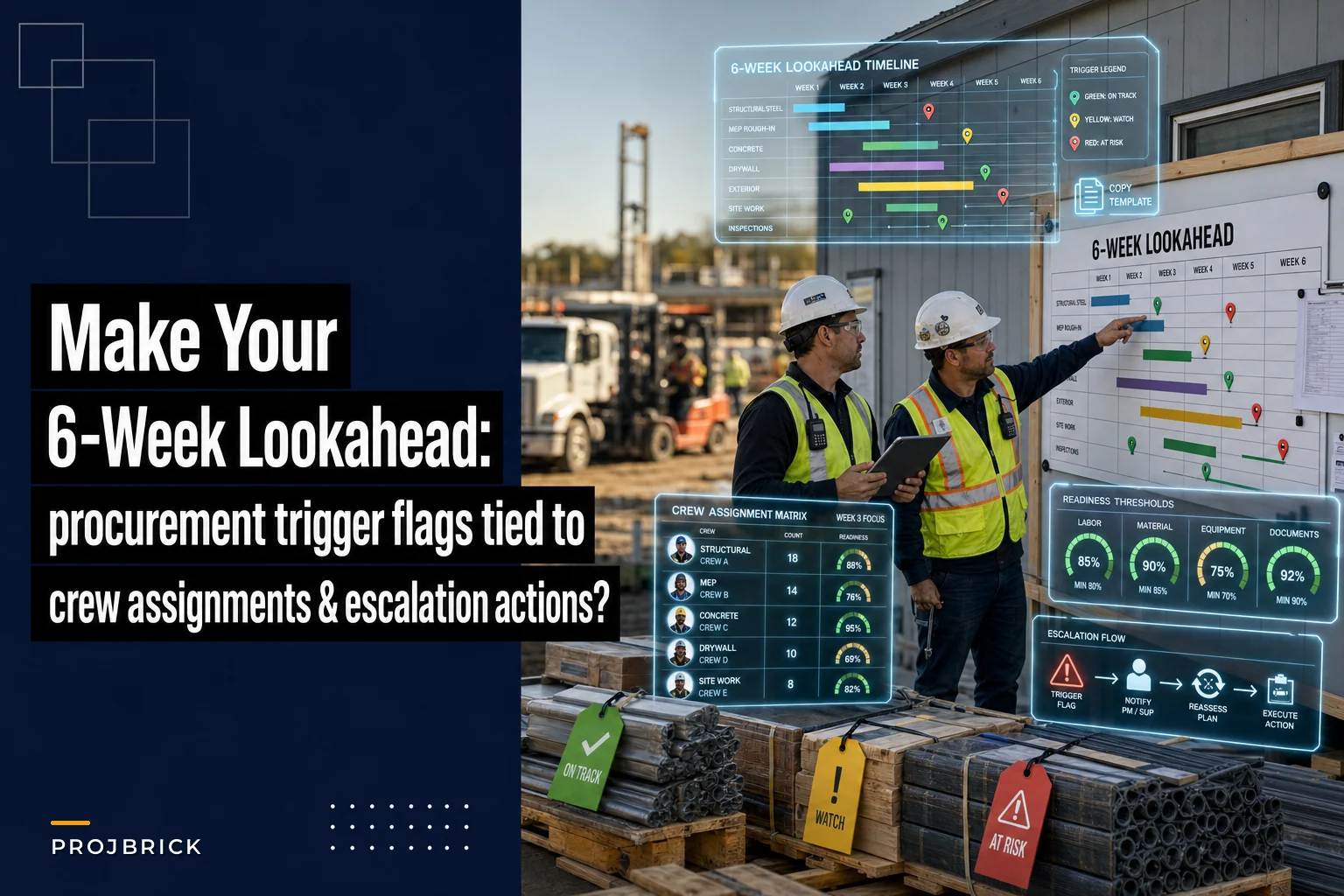

Most 6-week lookaheads are pretty to look at and useless in practice. They show a nice color-coded sweep of upcoming work, everyone nods in the coordination meeting, and then three weeks later a crew shows up to a slab that can't be poured because the embed plates are still sitting at a supplier's dock in another state.
The problem isn't that PMs don't know procurement matters. It's that the lookahead and the procurement log live in two different worlds. One is a planning artifact. The other is a spreadsheet the PM's assistant updates when they remember to. Nobody ties the two together, so the lookahead never tells you when a material problem is about to become a crew problem.
This post is about fixing that with a single operational artifact — one document, six weeks wide, that pins procurement trigger flags directly to crew assignments, sets readiness thresholds, and spells out exactly what happens when readiness slips. There's a copyable template at the end you can rebuild in any spreadsheet in about 20 minutes.
Why the standard lookahead quietly fails
The typical failure isn't dramatic. It's a slow drift.
The pattern repeats constantly: the lookahead gets built off the master schedule, which assumes materials are already handled by procurement. Procurement, meanwhile, is tracking lead times against a different baseline — usually the contract award date, not the actual field-need date. So a light fixture package with a 9-week lead time looks "on order" in the procurement log and "ready" in the lookahead, even though it's going to land two weeks after the electricians are scheduled to rough-in.
Nobody's lying. The two documents just don't reconcile. And because the lookahead doesn't carry a procurement status field that means anything, the PM has no early signal. The first real signal is the crew standing around.
A related version of this: the material shows up fine, but the submittal-to-fabrication chain broke somewhere. The stuff you order off the shelf is rarely the problem. It's the fabricated and long-lead items — structural steel, switchgear, custom glazing, elevator equipment — that blow up the schedule. If you haven't already built a dedicated long-lead schedule for those items, that's worth doing first; there's a detailed approach in this piece on preventing material-driven stoppages on high-rises. This lookahead artifact sits on top of that — it's the weekly enforcement layer, not a replacement.
The core idea: three linked columns, not three separate documents
The whole artifact hinges on forcing three pieces of information into the same row:
Keep your construction projects on schedule and budget.
Projbrick helps you plan, track, and manage every project phase with precision and ease.
- Real-time project tracking
- Resource & budget management
- Team collaboration tools
No credit card required
-
The crew/trade scheduled to work an activity in a given week
-
The materials and equipment that activity depends on, with a procurement trigger flag
-
A readiness threshold that tells you whether that activity is safe to keep on the schedule
When those three things live together, the lookahead stops being a forecast and starts being a decision tool. You can look at Week 4 and immediately see: the framing crew is loaded here, the joist hangers are flagged yellow because delivery confirmation is still pending, and readiness is below threshold — so we escalate now, not in Week 4.
Procurement trigger flags: what they actually mean
| Flag | What it means operationally | Who owns the next action |
|---|---|---|
| Green | Material confirmed, delivery date locked, lands with ≥5 working days of buffer before field need | Field super (stage and verify) |
| Yellow | Ordered but delivery unconfirmed, OR confirmed delivery leaves <5 days buffer, OR submittal not yet approved | Procurement lead (chase confirmation, report by end of week) |
| Red | Not ordered, delivery date past field-need date, or vendor has slipped a confirmed date | PM (escalation actions below) |
The important detail people miss: a flag is tied to the field-need date, not the order date. An item can be "ordered" and still be red if the confirmed delivery lands after the crew needs it. Ordering something doesn't make it ready. That one distinction catches more problems than any other part of the system.
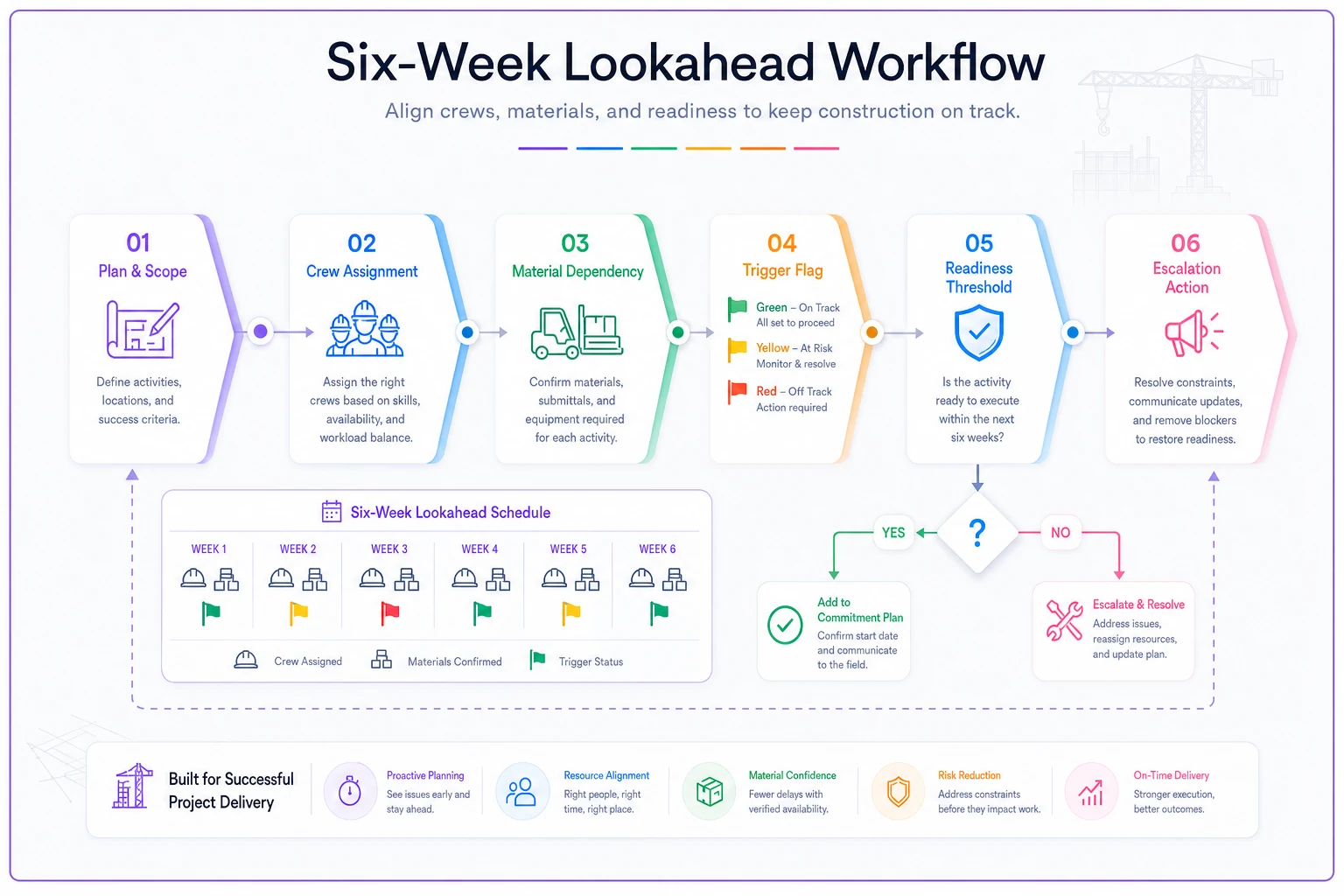
This diagram shows the weekly decision flow from flag to action.
Most people stop at the procurement log. Tying the flag to the field-need date is what forces the lookahead to demand an action instead of offering a reassurance.
Building the crew-assignment matrix
The crew side of the artifact is a simple matrix: trades down the left, the six weeks across the top, and the loaded activity in each cell. Nothing fancy. What makes it useful is that every populated cell has to point back to a material dependency.
-
Electrical crew — Week 3 Rough-in, north wing. Depends on: conduit (green), rough-in boxes (green), panel feeders (yellow — vendor confirmation pending).
That yellow flag on the panel feeders is the whole point. Without the matrix, the electrical rough-in reads as fully scheduled and everyone assumes it's fine. With it, you can see there's a live risk sitting two weeks out, and you know precisely which crew is exposed if it goes bad.
The matrix also surfaces something subtler: crew stacking against a single at-risk delivery. When you map crews and materials in the same view, you sometimes find that one late switchgear delivery doesn't just stall the electricians — it cascades into the drywall crew that can't close walls, and the finish crew behind them. One red flag, three crews idle. You can't see that cascade on a procurement log alone.
Readiness thresholds: the number that decides whether an activity stays on the schedule
A readiness threshold answers one question: is this activity actually cleared to proceed as scheduled, or is it living on hope?
-
100% green dependencies → activity is READY. Leave it on the schedule.
-
One or more yellow, zero red → activity is AT RISK. Stays scheduled, but gets a mandatory status update mid-week.
-
Any red dependency → activity is NOT READY. It cannot stay in its current week without an approved escalation action.
The mistake people make here is treating "at risk" as "fine for now." At risk means the clock is running. A yellow flag in Week 5 is cheap to fix. A red flag in Week 1 is not. What consistently shows up across jobs is that the yellows tell the story two to three weeks before the reds do — the teams that win are the ones treating yellow as an action state, not a warning color.
Escalation actions: what happens the moment readiness slips
This is where most systems fall apart. The flag goes red, everyone agrees it's bad, and then… a meeting gets scheduled. The artifact needs pre-written escalation actions so nobody has to invent a response under pressure.
Tie the escalation tier to how far out the field-need date is, because your options shrink fast as the date approaches:
If the red flag is 4–6 weeks from field need:
-
Procurement lead contacts vendor for a recovery date within 24 hours
-
Identify an alternate/second-source vendor and price the switch
-
PM decides
hold, expedite, or resequence — no cost impact yet
If the red flag is 2–3 weeks from field need:
-
Escalate to expedited freight or partial-shipment options immediately
-
Resequence the exposed crew onto other ready work (pull-forward from a later green activity)
-
Notify affected downstream trades in writing so they can adjust
If the red flag is inside 2 weeks:
-
Assume the delivery will not recover; plan as if it won't
-
Formally resequence and document the schedule impact for the record
-
If no resequence is possible, this is a critical-path event — treat it as a delay claim trigger and notify the owner
The key discipline: the escalation action is decided by the artifact, not the meeting. The meeting just confirms it happened. When you separate detecting the problem from deciding the response, you lose days. Bake the response into the rules and you act the same day the flag turns.
A real scenario
A regional GC running a three-story medical office fit-out — roughly $6M contract, around 40 crew across trades at peak — kept losing days to what the super called "surprise" material gaps. Nothing catastrophic on any single item, just a steady drip of half-day and full-day stalls. Over the first four months they logged somewhere around 9–11 lost crew-days, most of it paid idle time while a crew waited on a late delivery or got sent home early.
The fix wasn't a new procurement system. They rebuilt the weekly lookahead into the three-column artifact — crew matrix, trigger flags, readiness thresholds — and ran it every Thursday before the following week's loading was locked.
Within about six weeks, the yellow flags started catching problems the procurement log had been missing. In one case, a red flag on card-access hardware surfaced four weeks out; because it showed up early, they second-sourced it and shifted the low-voltage crew onto ceiling grid work planned for later — zero idle time. Over the next quarter, lost crew-days dropped to around 2–3, and most of the remaining slips were absorbed by resequencing rather than sending people home. Not a miracle. Just fewer surprises, caught earlier.
Running this without drowning in spreadsheet updates
The honest weakness of this artifact is maintenance. If updating flags is a manual Thursday-night chore for the PM, it decays within a month — flags go stale, people stop trusting them, and you're back to a pretty forecast.
Let status flow in—drive flags from your shared procurement data, not manual updates.
The teams that keep it alive let status flow in rather than typing it in. When procurement confirmations, delivery dates, and field-need dates already live in a shared system, the flag color can be driven off the data instead of someone's memory. This is where lightweight operational software earns its place — not by making decisions for you, but by keeping the readiness state current so the artifact reflects reality on Thursday morning without a data-entry marathon. AI-assisted platforms can watch the gap between confirmed delivery dates and field-need dates and flip a flag to yellow the moment buffer erodes, so the warning reaches the PM before anyone has to notice it manually.
That's the whole value: the system handles the watching, you handle the deciding.
When this is worth it — and when it isn't
This makes sense when:
-
You're running multiple trades in overlapping weeks where one late delivery cascades
-
You've got meaningful long-lead or fabricated items in the mix
-
Your lookahead and procurement log currently don't talk to each other
-
Crew idle time from material gaps is a recurring line item
This is overkill when:
-
You're on a small, single-trade job with short, off-the-shelf material lead times
-
Your entire crew is one team that can flex to any task instantly, so slips don't cascade
-
The project is short enough that a six-week window covers most of the job anyway
If crew slippage is your bigger recurring issue rather than material timing, the tighter fix might be upstream in your planning framework — this walkthrough on a repeatable multi-phase planning framework covers that ground. And if you can't trust your field output numbers enough to set honest readiness thresholds in the first place, start with reliable daily crew productivity tracking before layering this on top.
The copyable template
Rebuild this in any spreadsheet. One tab, six-week window, refreshed weekly before loading locks.
Columns, left to right:
-
Week (1–6, rolling)
-
Trade / Crew (the team loaded that week)
-
Activity (specific scope — "rough-in north wing," not "electrical")
-
Field-Need Date (when the material must be on site)
-
Dependency (the material/equipment — one row per dependency)
-
Order Status (not ordered / ordered / confirmed)
-
Confirmed Delivery Date
-
Buffer (auto
confirmed delivery minus field-need date, in working days)
-
Trigger Flag (green / yellow / red — driven by buffer + status rules above)
-
Readiness (READY / AT RISK / NOT READY — based on worst flag in the activity)
-
Escalation Tier (auto
based on weeks-to-field-need when flag goes red)
-
Owner / Next Action
-
Last Updated
Weekly run checklist:
-
- [ ] Refresh confirmed delivery dates from procurement before the meeting
-
- [ ] Recalculate buffer and let flags update
-
- [ ] Review every AT RISK activity — assign a mid-week check
-
- [ ] Trigger the matching escalation action for every NOT READY activity today
-
- [ ] Confirm no crew is loaded against a red dependency without an approved resequence
-
- [ ] Notify downstream trades in writing of any resequencing
-
- [ ] Lock next week's crew loading only after all reds have a decision attached
Use the template to collapse the time between spotting a material problem and doing something about it.
The point of all of this isn't more paperwork. It's collapsing the distance between "a material is going to be late" and "we did something about it." Get those two events happening in the same week — ideally the same day — and most of the idle crew-days that quietly bleed a project just stop showing up.
Ready to build smarter and faster?
Join 2,000+ construction teams using Projbrick to improve project visibility, reduce delays, and increase profitability.