

Most "best construction management software" lists online are affiliate pages. The ranking is based on who pays the most per click, not on which platform survives contact with a real jobsite. So if you're a PM, ops lead, or the unlucky IT person who got handed this decision, those lists are worse than useless — they anchor your whole team on the wrong criteria before you've even defined what you need.
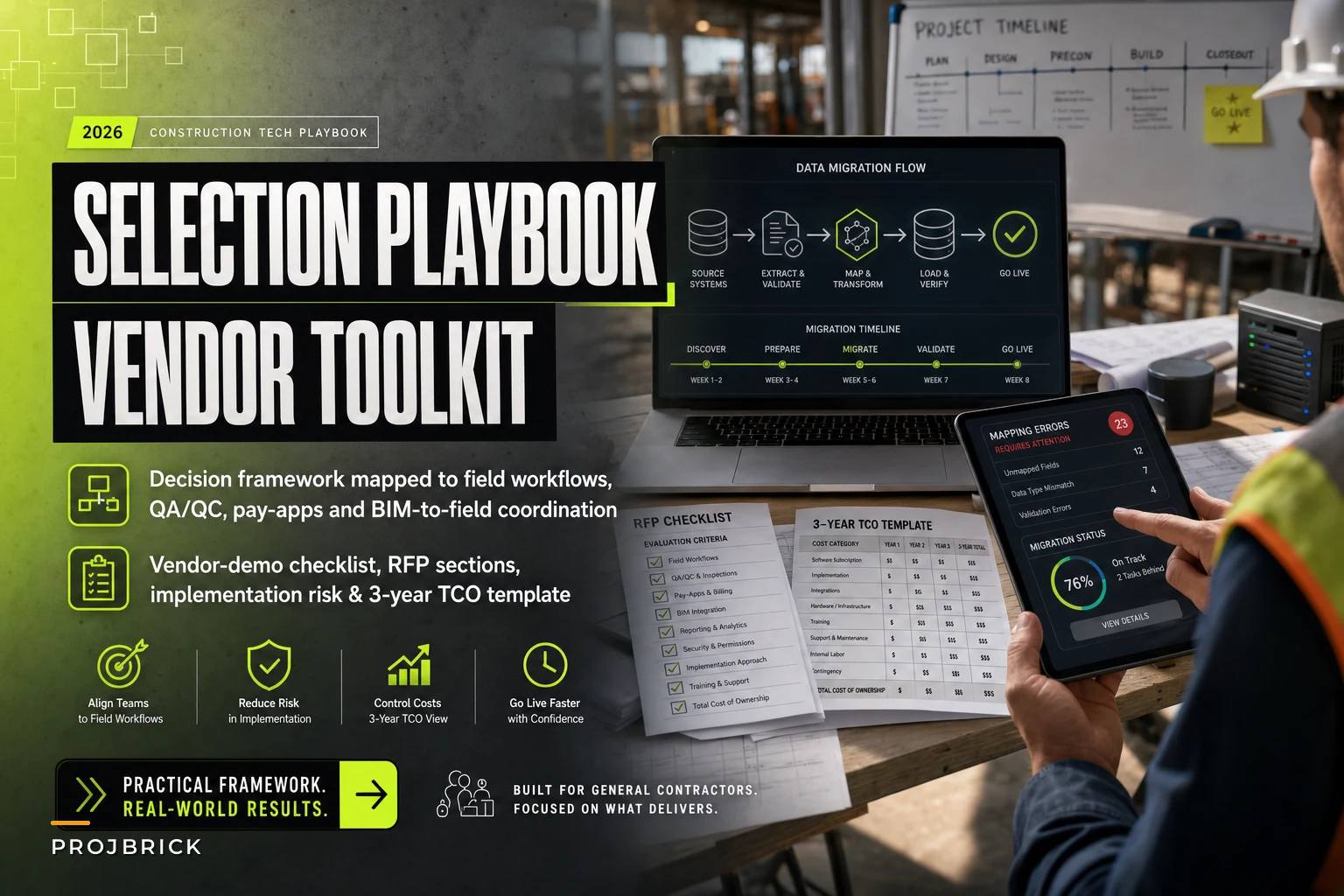
This guide skips all of that. It gives you a selection framework tied to workflows you already run, a feature matrix that separates must-haves from nice-to-haves, a demo checklist with the questions vendors hate, an RFP outline, a realistic 3-year total cost of ownership model, and a data-migration playbook so your pilot doesn't die in month two.
Start From Workflows, Not Features
The single biggest selection mistake is building a requirements list by browsing feature pages. You end up with a wishlist of 180 features, 40 of which you'll never touch, and you have no way to weight what actually matters.
Flip it. Write down the 6–8 workflows that consume your team's week and cause the most pain when they break. For a typical mid-size GC, that list looks something like:
-
RFI and submittal routing (who approves, how long, where it stalls)
-
Daily field reports and photo capture
-
Pay application review and subcontractor billing
-
Change order origination through approval
-
Schedule updates and lookahead coordination
-
Document control and drawing version management
-
Cost tracking against budget and forecast-to-complete
-
Closeout and handover packages
Each workflow becomes a test case. When a vendor demos, you make them run your workflow, with your terminology — not their canned happy-path walkthrough. A platform that nails RFIs but makes pay apps a nightmare is a bad fit if your billing team is already drowning, and no feature list will tell you that.
Teams that score vendors against real workflows almost always short-list different products than teams that score against feature checklists. The feature-list teams pick the flashiest UI. The workflow teams pick the thing their field crews will actually open on Monday morning.
The Decision Framework
Here's the sequence that keeps selection honest. Don't skip steps — each one filters out vendors who'd otherwise waste three weeks of your calendar.
Keep your construction projects on schedule and budget.
Projbrick helps you plan, track, and manage every project phase with precision and ease.
- Real-time project tracking
- Resource & budget management
- Team collaboration tools
No credit card required
-
Define your workflow test cases. The 6–8 workflows above, written as step-by-step scenarios with real names, real approval chains, and real document types.
-
Weight them. Not every workflow is equal. If change orders are where you bleed margin, that workflow might carry 25% of the total score while document control carries 8%.
-
Set hard constraints. Non-negotiables that instantly disqualify. Examples: must integrate with your accounting system, must work offline on-site, must support your role-based permissions structure.
-
Build the must-have vs nice-to-have matrix. (Below.) Anything that's merely nice-to-have cannot win or lose the decision.
-
Short-list to three vendors max. More than three and your evaluation team stops paying close attention by demo number four.
-
Run scripted demos. You drive. They follow your script.
-
Pilot the top one or two on a live or recent-closeout project with real data.
-
Model 3-year TCO before signing anything.
The discipline is in steps 2 and 3. Weighting forces your team to argue about priorities before a vendor charms them. Hard constraints kill the "but it's so pretty" conversations early.
Must-Have vs Nice-to-Have Feature Matrix
This is a starting template. Your weights will differ. The point is that "must-have" means you will not sign without it, and everything else is tiebreaker material.
| Capability | Classification | Why it lands there |
|---|---|---|
| Accounting / ERP integration (two-way) | Must-have | Double entry between systems is where cost data goes wrong and where your controller loses faith |
| Offline field access + sync | Must-have | Half your jobsites have terrible connectivity; if it needs a signal, the field won't use it |
| Role-based permissions | Must-have | Subs, owners, and internal staff cannot see the same things |
| RFI / submittal workflow with audit trail | Must-have | Dispute defense and schedule accountability live here |
| Document version control with current-set enforcement | Must-have | Building off superseded drawings is a rework generator |
| Pay application / SOV management | Must-have (for most GCs) | Billing errors directly hit cashflow |
| Mobile photo capture with metadata | Must-have | Field evidence for claims and pay apps |
| Native scheduling (Gantt / CPM) | Nice-to-have | Many teams keep P6/MS Project and just need integration |
| BIM model viewing | Nice-to-have | Depends entirely on whether you run coordinated models |
| Built-in e-signature | Nice-to-have | Useful, but replaceable |
| Custom dashboards | Nice-to-have | Great in demos, rarely the deciding factor |
| AI-assisted document search / data extraction | Nice-to-have | Genuinely helpful for pulling submittal data or flagging RFI patterns, but prove it on your documents first |
One thing worth being skeptical about: nearly every platform now markets some form of AI automation — auto-categorizing RFIs, extracting line items from invoices, summarizing daily logs. Some of it is real and saves your team hours of manual sorting. A lot of it is a thin wrapper that breaks on messy real-world documents. Treat these claims as nice-to-have until the vendor runs them live against your scanned, coffee-stained, badly-named files. If the automation holds up on your actual data, it's a real multiplier for reducing manual entry. If it only works on the clean demo set, ignore it entirely.
The Vendor-Demo Checklist
You control the demo or the demo controls you. Send vendors your workflow scripts in advance and tell them you'll be driving.
Before the demo:
-
Send 2–3 of your real workflow scenarios (sanitized data is fine)
-
Require they use your project structure and terminology
-
Insist the actual product is shown, not slides or a recording
-
Have your field superintendent in the room, not just office staff
During the demo, make them show:
-
A full RFI from origination to closeout, including a rejection and resubmit
-
A change order that modifies the budget and flows to the forecast
-
A pay application with a disputed line and a rejection note
-
Offline mode
literally turn off wifi and have them log a daily report
-
Permissions
log in as a subcontractor and show what they can't see
-
An export of all your data — show the actual file, not a promise
Red-flag questions to ask directly:
-
"What happens to our data if we cancel? Show me the export format."
-
"Which of these features are live today versus on your roadmap?"
-
"Who does the data migration — you, us, or a paid third party?"
-
"What's your average implementation timeline for a GC our size, and what goes wrong most often?"
-
"Can I talk to a customer who left a competitor for you — and one who left you?"
-
"Is this AI feature available on our plan tier, or is it an upsell?"
That last category matters more than the demo itself. A vendor who dodges the data-export question or can't name their own failure patterns is telling you something. The honest ones will admit implementation is hard and that some customers churn — those are the vendors worth short-listing.
RFP / Requirements Outline
If you're running a formal procurement, keep the RFP tight. Bloated RFPs get bloated, non-comparable responses. Structure it like this:
-
Company and project context — your size, number of concurrent projects, typical contract values, current tools
-
Workflow requirements — your 6–8 scenarios, each with required steps and must-have outcomes
-
Integration requirements — accounting/ERP system, named, with required data flows
-
Technical constraints — offline, mobile, permissions, data residency if relevant
-
Implementation and migration — who does what, timeline, training approach
-
Pricing — require a 3-year breakout, not just year-one (see TCO below)
-
Support and SLAs — response times, dedicated contact, uptime commitments
-
Exit terms — data export format, transition assistance, contract termination clauses
Require vendors to answer each workflow requirement with "native / configurable / third-party / not available" rather than yes/no. "Yes" hides a lot of "well, you'd need a workaround."
The 3-Year TCO Model
Vendors quote year-one per-user pricing because it looks cheap. The real number is three years of everything. Here's a worked example for a GC with roughly 45 users across office and field, running 8–12 concurrent projects.
| Cost component | Year 1 | Year 2 | Year 3 | Notes |
|---|---|---|---|---|
| Subscription (45 users) | ~$54k | ~$56k | ~$59k | Assumes ~4–5% annual increase |
| Implementation / setup | ~$18k | — | — | One-time, often negotiable |
| Data migration | ~$12k | — | — | Higher if legacy data is messy |
| Integration build (ERP) | ~$15k | ~$2k | ~$2k | Build + annual maintenance |
| Training | ~$8k | ~$3k | ~$3k | Year 1 heavier; ongoing for new hires |
| Internal admin time | ~$10k | ~$9k | ~$9k | Someone owns this platform — budget their hours |
| Add-on modules / AI tier | ~$6k | ~$6k | ~$7k | Only if you actually use them |
| Annual total | ~$123k | ~$76k | ~$80k |
Three-year TCO lands somewhere around $279k, not the ~$54k the sales deck implied. Two line items people consistently forget: internal admin time (the platform doesn't run itself — someone configures it, maintains it, and chases adoption) and integration maintenance (your accounting connection breaks every time either system updates).
A rough rule of thumb: year-one true cost usually runs 1.8x–2.5x the quoted subscription once you factor in implementation, migration, and training. Build that into your budget conversation before you fall in love with a product you can't fund properly.
Implementation Risk & Data-Migration Playbook
More software projects fail at implementation than at selection. The tool is fine; the rollout kills it. Here's where things actually go wrong and how to defend against it.
The messy-data trap. Your current documents are named Finalv2REALfinal_RFI.pdf, your cost codes are inconsistent across projects, and three PMs structure folders three different ways. Migrate that as-is and you've paid to move your chaos into a prettier house. Clean before you migrate, not after. Pick a standard cost-code structure and folder taxonomy first.
The migration sequence that actually works:
-
Inventory what you have — document types, volume, cost data, historical projects
-
Decide what migrates — usually active projects plus the last 1–2 years; archive the rest separately
-
Standardize naming, cost codes, and structure before import
-
Run a test migration on one project and have the actual PM verify it
-
Fix the mapping errors the test exposes
-
Migrate in waves by project, not all at once
-
Run parallel for one billing cycle — old and new system both live — before you cut over
The adoption cliff. The field doesn't use it, so the office enters data twice, so the data is stale, so nobody trusts it, so the field really doesn't use it. This death spiral is completely predictable. Break it by piloting with your most credible superintendent — if the respected field guy uses it, others follow. Getting a mixed crew productive on a new system fast follows the same logic as any rapid day-of surge roster and expedited onboarding: tight scope, hands-on walkthroughs, and a single point of contact for questions.
Pro-tip: Run the test migration with the PM who will own the project to validate mappings and permissions before a wider rollout.
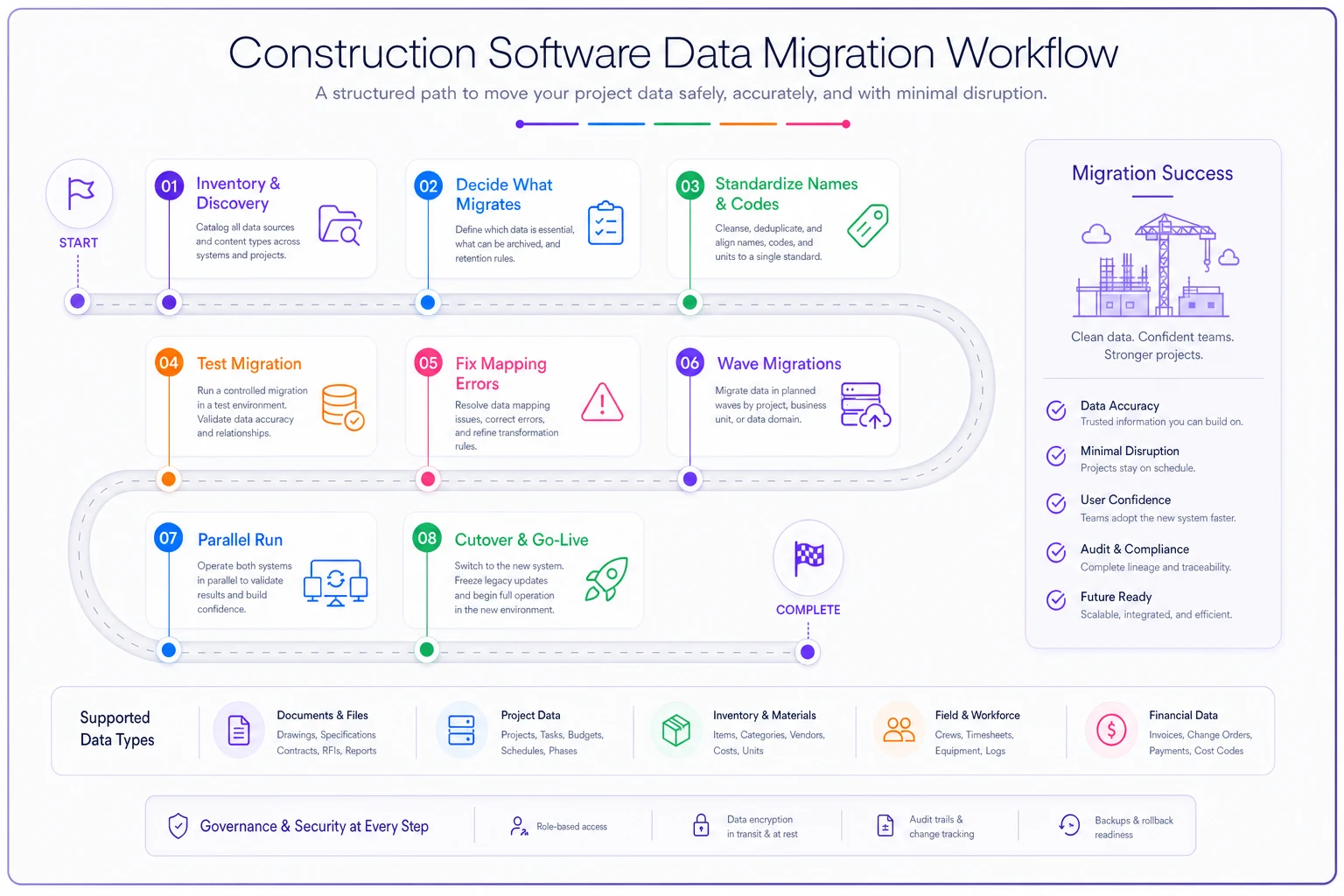
Here's a visual workflow to share with your migration team.
Also: don't launch the platform as a document dump and nothing else. The teams that actually get value tie the new system to a specific pain they already feel — like managing compliance paperwork and reporting, the kind covered in a proper site compliance packet for waste and recycling reporting, or structuring their handover and O&M readiness documentation so closeout stops being a fire drill. Anchor adoption to a real problem, not a feature tour.
When This Framework Makes Sense — and When It Doesn't
Run the full process when: you're spending real money (think $100k+ over three years), replacing a system your team already depends on, or integrating with accounting. The rigor pays for itself the first time it keeps you out of a bad three-year contract.
Skip the heavy version when: you're a small GC running 2–3 projects and genuinely just need shared document storage and daily reports. A month-to-month tool with easy export is fine — don't build an eight-step procurement for a decision you can reverse in 30 days.
Who should not lead this: the IT person alone. Software chosen without field and PM input gets bought and ignored. The decision belongs to the people who'll live in it daily, with IT validating technical constraints — not driving the selection.
A Realistic Scenario
A regional GC — roughly $80M annual volume, around 50 staff — had been running the field on spreadsheets, email, and a shared drive. Pay apps took 9–11 days to review because every line had to be cross-checked against emails and photos scattered across three inboxes.
Instead of starting from a vendor list, they wrote eight workflow scripts and weighted pay-app processing and change orders highest. They short-listed three platforms, ran scripted demos where they drove, and eliminated one vendor immediately when it couldn't log a daily report offline. They piloted the top choice on a single active project, ran parallel billing for one cycle, and cleaned their cost codes before migrating anything.
Pay-app review dropped to around 4–5 days once field evidence and billing lived in one place. Not because the software was magic — because the workflow test cases forced them to buy something that fit how they actually bill. Their three-year TCO came in near $240k, roughly double the sales quote, which they'd budgeted for because they modeled it upfront instead of getting surprised in year two.
Don't let a vendor's ranked list decide a six-figure, three-year commitment. Define your workflows, weight them, set hard constraints, drive your own demos, pilot on real data, and model the full cost before you sign. The best platform isn't the one with the most features or the boldest AI claims — it's the one your field crew opens on Monday morning without being forced to. Build your selection around that, and you'll avoid the adoption failures that quietly waste more money than the software ever cost.
Ready to build smarter and faster?
Join 2,000+ construction teams using Projbrick to improve project visibility, reduce delays, and increase profitability.